
Download PDF Editor – PDF Editing, Document Creation, File Conversion
Overview
PDF Editor is a mobile application designed to streamline the editing, creation, and conversion of PDF documents directly from Android devices. The app targets users who need quick, reliable access to essential PDF tools without relying on desktop software. Whether you're a student reviewing lecture notes, a professional adjusting contracts, or a freelancer preparing client documents, PDF Editor offers a convenient solution for managing PDFs on the go.
By enabling users to edit text, modify images, and reorganize content within existing PDFs, the app addresses common pain points such as outdated document versions, formatting inconsistencies, and the need for cross-platform compatibility. Its ability to generate new PDFs from image and text files further expands its utility in academic, administrative, and creative workflows.
The developer, PDF Editor, has focused on delivering a lightweight yet functional tool that prioritizes usability. While specific details about the company’s background are not publicly available, the app’s release date of June 15, 2024, indicates it is a relatively recent entrant in the mobile productivity space. The app’s free pricing model enhances accessibility, making it a viable alternative for users seeking no-cost solutions for basic PDF management.
Within the broader mobile productivity ecosystem, PDF Editor fills a niche for users who require portability and simplicity. It supports a range of real-world use cases, including signing documents on the fly, revising reports during meetings, or converting scanned receipts into editable formats. The app’s presence on Android underscores the growing demand for mobile-first document tools in both personal and professional environments.
Key Features & Functionality
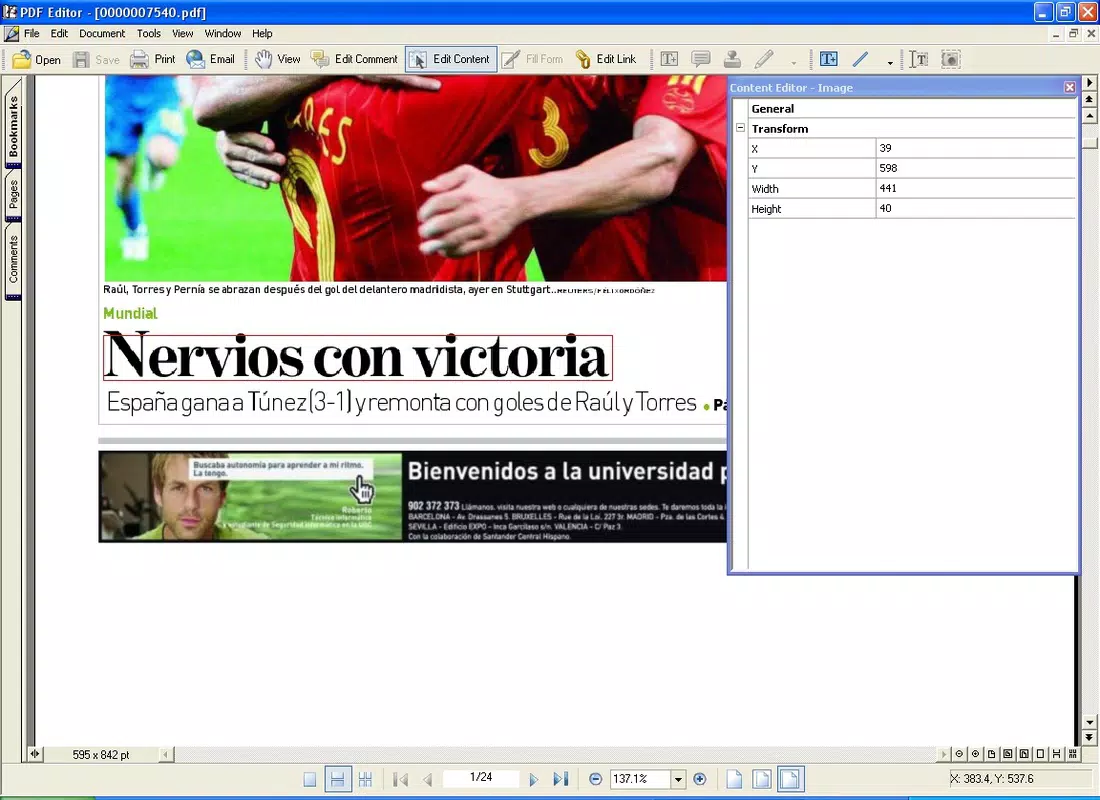
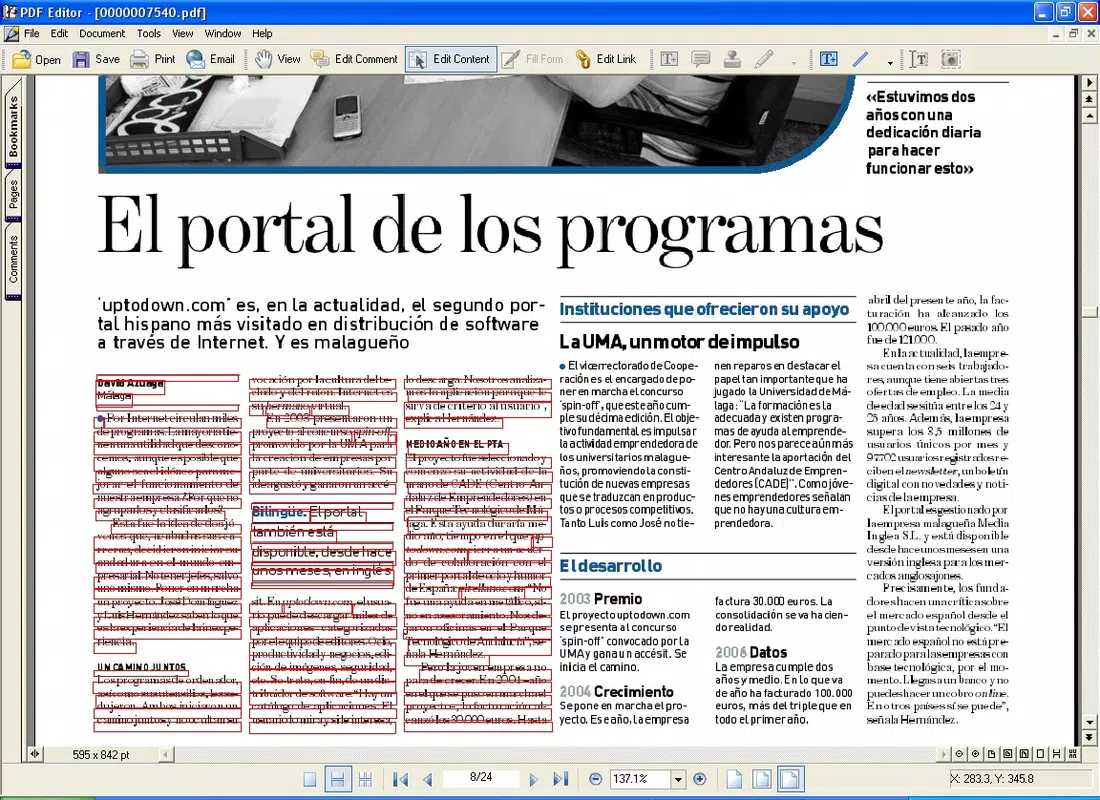
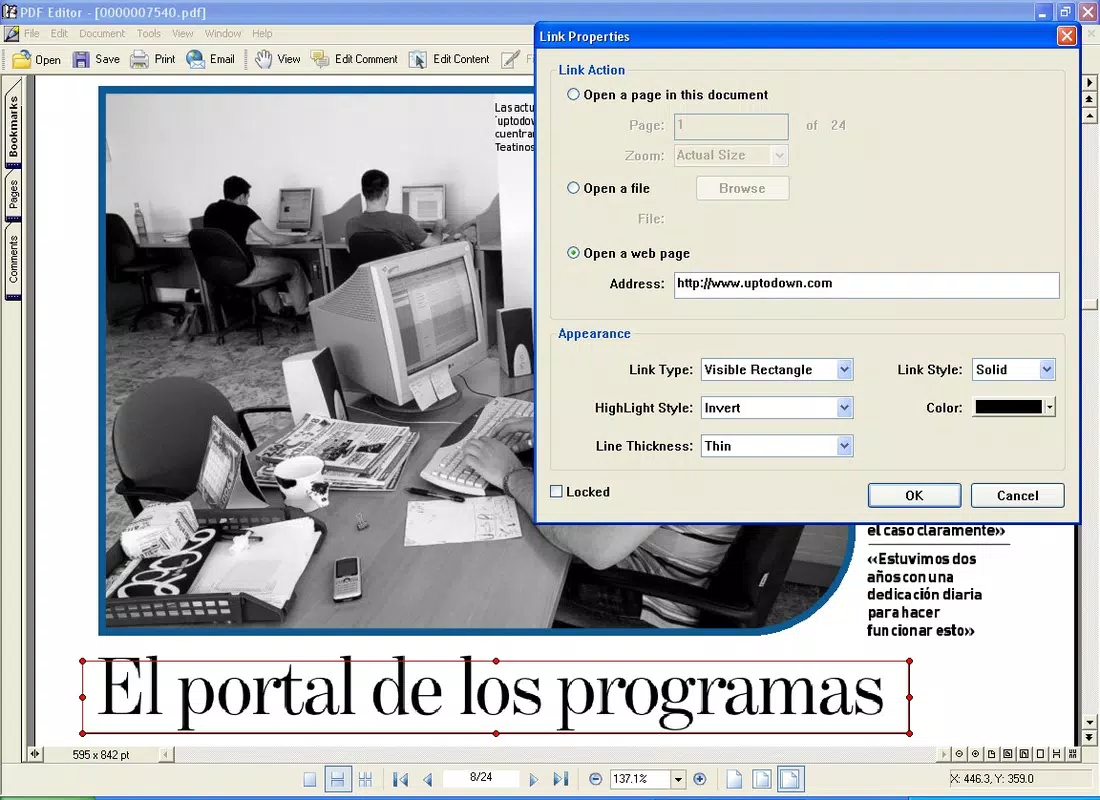
PDF Editor delivers a suite of practical tools tailored for on-the-go document management. The app allows users to edit individual elements within a PDF, such as text, images, and hyperlinks, providing granular control over content. This feature is particularly useful when correcting typos, updating contact information, or adjusting visual elements in a shared document.
The intuitive interface ensures that users can access these tools without technical expertise. Navigation is designed to be straightforward, minimizing the need for tutorials or external guidance. This makes the app suitable for users of all experience levels, from beginners to advanced users seeking a lightweight alternative to full desktop suites.
Users can also create new PDFs from various file types, including BMP, TIFF, and GIF images, as well as plain text files. This functionality supports workflows where digital content needs to be standardized into a universally readable format. For example, a student could compile scanned handwritten notes into a single PDF for easier sharing, or a small business owner could convert a Word document into a PDF for official submissions.
Additionally, the app supports file conversion to common formats like Word, Excel, and image files. This versatility allows users to adapt documents for different purposes—such as extracting data into spreadsheets or archiving visuals as images—without needing additional software. These features collectively position PDF Editor as a practical utility for users who need to manage, modify, and share PDFs efficiently across devices.
- Edit text, images, and hyperlinks within existing PDFs
- Create PDFs from image files (BMP, TIFF, GIF) and text files
- Adjust font, size, and formatting for precise text control
- Convert PDFs to Word, Excel, and image formats
- Remove or reposition individual elements on a page
Interface, UX & Performance
The user interface of PDF Editor is designed with simplicity and functionality in mind. The layout emphasizes clarity, with toolbars and menus positioned for easy access, reducing the number of taps required to perform common tasks. Visual cues and consistent iconography support intuitive navigation, minimizing user confusion.
Navigation flows logically from opening a document to selecting an editing function, then applying changes and saving the file. The app maintains a clean aesthetic with minimal clutter, allowing users to focus on content rather than interface complexity. This approach supports a smooth user experience, especially for those managing multiple documents in quick succession.
Although the developer did not list formal performance metrics, the app’s 15.2 MB file size suggests it is optimized for devices with limited storage. This lightweight footprint contributes to faster load times and reduced battery consumption, which is crucial for mobile productivity tools. Users can expect responsive interactions when editing text or switching between files, even on mid-tier Android devices.
Stability appears to be a priority, as the app enables users to make changes and save them without reported disruptions. However, specific details about crash rates, background processing, or memory usage were not disclosed. Overall, the app demonstrates a balanced approach to performance, offering reliable functionality within the constraints of a mobile environment.
Platform Compatibility & Technical Requirements
PDF Editor is available exclusively on the Android platform. It is compatible with devices running Android OS, though specific minimum OS requirements were not listed by the developer. The app’s file size is 15.2 MB, which is relatively small and suitable for a wide range of Android smartphones and tablets.
Users should ensure their devices meet the general system requirements for Android applications, including sufficient storage space and an active internet connection for optional features such as cloud integration or file sharing. However, the developer did not specify exact version compatibility or hardware limitations.
Given the app’s release date of June 15, 2024, and version 2.0.2, it is likely optimized for recent Android versions. Nonetheless, compatibility with older systems cannot be confirmed without official documentation. The app’s lightweight design may improve its chances of running smoothly on older or budget devices, but this remains unverified.
Pros and Cons
Pros
- Free to download and use with no in-app purchases
- Lightweight design at 15.2 MB, ideal for devices with limited storage
- Intuitive interface suitable for users of all skill levels
- Supports creation of PDFs from images and text files
- Offers file conversion to Word, Excel, and image formats
Cons
- Specific OS version requirements were not disclosed
- No information provided about cloud sync or backup capabilities
- Advanced editing features (e.g., OCR, form filling) were not mentioned
- Developer background and company details were not publicly available
- Performance on low-end devices was not tested or reported
FAQ
Is PDF Editor safe to download and install?
Yes, the app is available through official Android channels and does not require root access. It is free to download and install, and no suspicious permissions were reported in the provided information.
Can I edit text in a scanned PDF using PDF Editor?
The app allows editing of existing text within PDFs, but it does not specify whether it includes Optical Character Recognition (OCR) for scanned documents. If the text is already selectable, editing should be possible.
Does PDF Editor support cloud storage integration?
There is no information available about cloud sync or integration with services like Google Drive, Dropbox, or iCloud. Users may need to rely on local storage or third-party file transfer methods.
How often is PDF Editor updated?
The app was last updated on June 15, 2024, and is currently at version 2.0.2. The developer has not disclosed a regular update schedule, but the recent release suggests active maintenance.
Is PDF Editor available for iOS devices?
At this time, the app is only available for Android. There is no official information about an iOS version or future plans for cross-platform release.
Final Thoughts + CTA
PDF Editor stands out as a practical, no-frills solution for users who need to edit, create, and convert PDFs directly from their Android devices. Its intuitive interface, combined with essential functionality like text editing, file conversion, and PDF generation, makes it a valuable tool for students, professionals, and freelancers alike. While it lacks advanced features such as OCR or cloud integration, its simplicity and free access provide strong value for everyday users.
The app’s lightweight design ensures it runs efficiently on a variety of devices, and its straightforward workflow reduces the learning curve for new users. For those seeking a secure, reliable, and easy-to-use mobile tool for basic PDF management, PDF Editor delivers a compelling experience without unnecessary complexity.
Download PDF Editor now and take full control of your documents, anytime, anywhere.


